
How do I use my own artwork on a Scribble card?
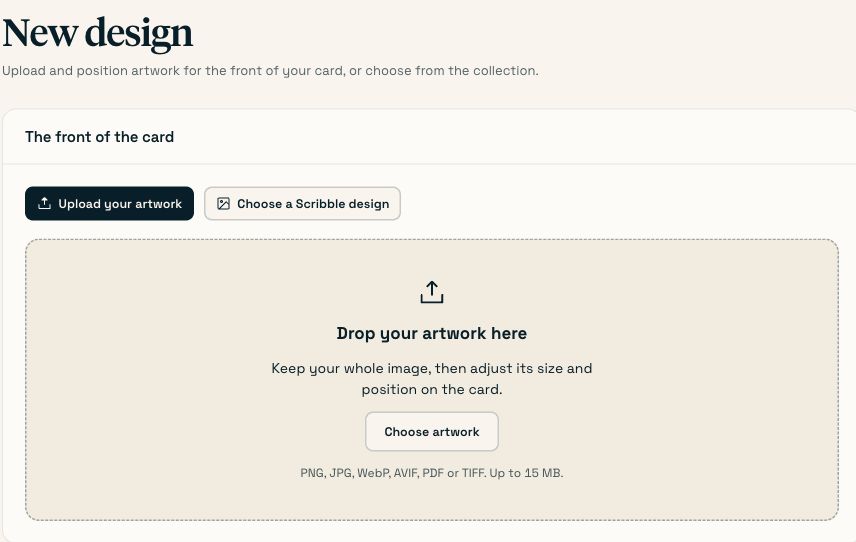
Go to Your designs → New design → Upload your artwork and choose a PNG, JPG, WebP, AVIF, PDF or TIFF up to 15 MB. For images, Scribble starts with the whole image visible. Adjust its size, position, and rotation, then save the preview you want. The print image is 1276 × 1654 pixels — 108 × 140 mm at 300 dpi. PDFs and TIFFs are saved unchanged and need to be prepared at the final card size.
On this page
| Requirement | Value |
|---|---|
| Formats | .png .jpg .jpeg .webp .avif .pdf .tif .tiff |
| Maximum size | 15 MB. A 300 dpi print file of a card is normally well under that. |
| Card panel | 108 × 140 mm (A2, 4.25 × 5.5 in) |
| Resolution | 300 dpi at final size |
| Prepared print image | 1276 × 1654 pixels, showing the placement you saved. |
| Original artwork | Kept separately so you can reopen it and change the placement. |
Get the file from your designer at final size
108 × 140 mm for the front panel, at 300 dpi. Ask for the print-ready file, not the presentation PDF.
Upload it
Your designs → New design → Upload your artwork, then choose the file.
You’ll know it worked when An image preview appears with the whole image visible. Use Fit entire image, Fill card, or the size and position controls to adjust it. The preview tells you if any edges will be cropped. PDF and TIFF files show their filename instead.
Name and save
Name it after the occasion and the year, then create the design.
Prove it physically
Send one card to yourself using the design. One credit, and it arrives the same way a customer’s would.
You’ll know it worked when The card that arrives has the artwork you expected, the right way up, correctly positioned.
#Your original artwork is kept
- Your original file is stored separately from the prepared print image.
- The prepared image follows the size, position, and rotation you see in the preview.
- Scribble does not add a mark to the front.
Open the saved design and choose Adjust or replace artwork to change its placement from the original. If the design is already attached to an order, duplicate it first so those cards keep their artwork. A small or blurry source image can still look soft when printed, so use a clear file at the recommended size.
#If your picture is not the shape of a card
The preview starts with Fit entire image. This keeps the whole image visible without stretching it. If its shape differs from the card, white space remains around it.
- Fill card covers the whole front and may crop the edges. Check the preview before saving.
- Use Image size, drag the image, or use the horizontal and vertical position controls to place it. Rotate 90° changes its orientation; Reset placement brings the whole image back.
#Common questions
- Do I need bleed?
- Card and envelope stock arrive at final size, so there is no trim step. Supply artwork at final size.
- Can I put artwork on the back of the card?
- The back cover carries Scribble's branding block, which includes the card's tracking code as a retail-style product code. The front is yours.
- Can I have my own envelopes?
- Not through the self-serve product. Talk to sales if you are running volume where it matters.
- What about a logo inside the card?
- Put your logo in the front artwork. The inside message and sign-off are written with a pen, and the business app does not offer an inside artwork editor. See the inside of the card for where to write your message.
Last checked against the product on . Something wrong or missing? Tell us.