
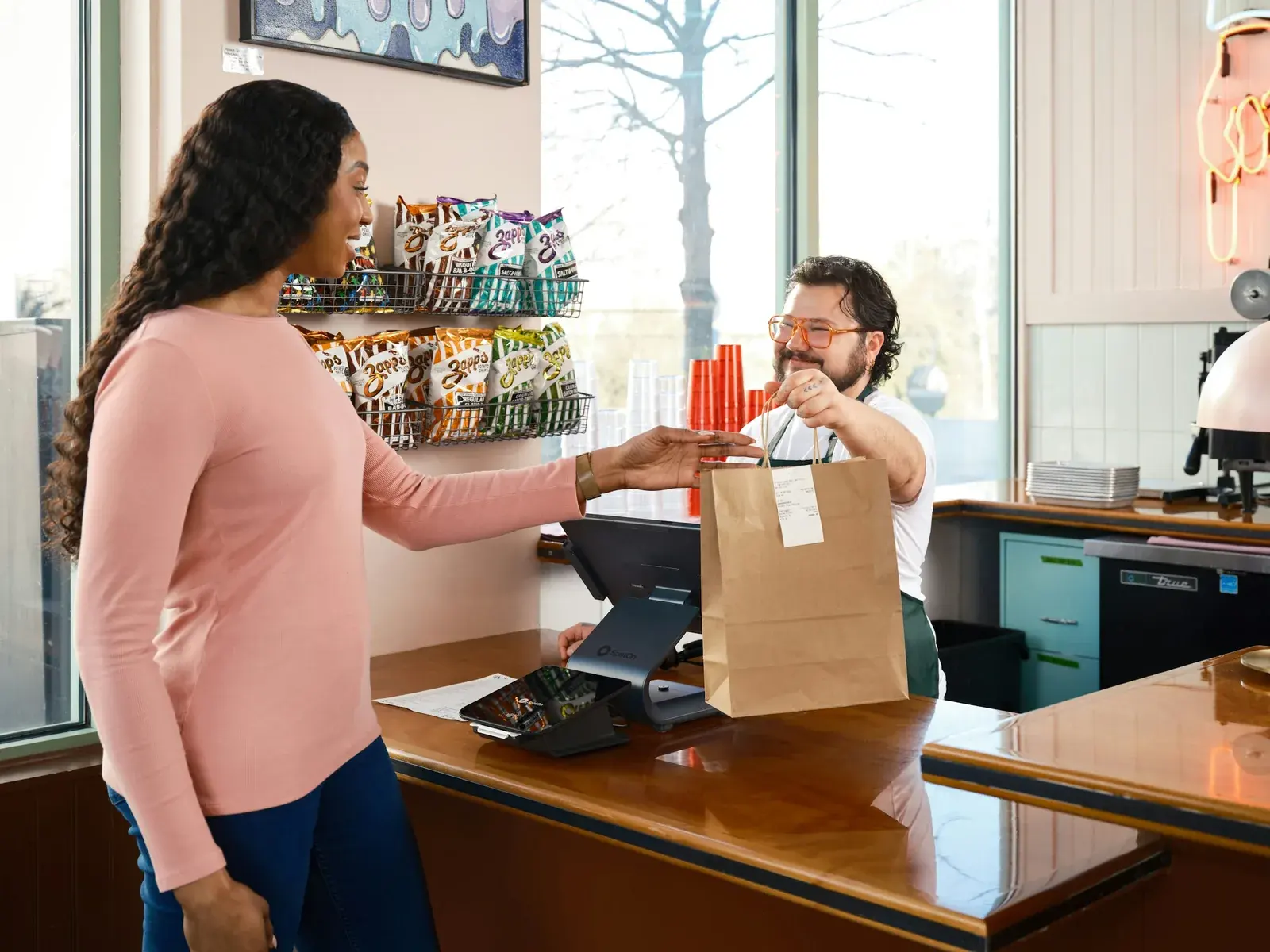
If customers tell you you're great and your Google profile still shows 14 reviews, the problem is usually the asking. Happy customers mean to leave a review and then get on with their day. Ask them directly and most will do it: in BrightLocal's 2026 survey of 1,002 US adults, 83% of the people who were asked to leave a review went on to leave one.
Every script below has a filled-in version. The names and businesses in them are invented, so keep the shape and swap in your own details.
Why Google reviews matter for a small business
Two reasons. The first is ranking. Google says local results depend on relevance, distance and how well-known a business is, and that more reviews and positive ratings can help your local ranking.
The second is trust. In the same BrightLocal survey, 47% of consumers said they won't use a business with fewer than 20 reviews, and 74% said they only care about reviews from the last three months. That second number is why one big push in March doesn't carry you to September. Asking has to be part of the job, every week.
How to get your Google review link and QR code
Google gives you a direct link and a QR code that open your review form. Set them up on a computer: Google says review QR codes can only be made in a computer browser.
Get your review link and QR code
Find your profile
Sign in to the Google account that manages your Business Profile. Go to business.google.com, or search Google for "my business" or your business name and city.
Open the review panel
Select Read reviews, then Get more reviews. On some screens the button says Ask for reviews.
Copy the link
Select Copy, then paste the link into your phone's notes and your text and email templates.
Save the QR code
Right-click the QR code and choose Save image as. That file goes on receipts, invoices and a counter sign.
Test both
Open the link and scan the code on your own phone before you print anything. Customers need a Google account to leave a review, though it can use any email address, not only Gmail.
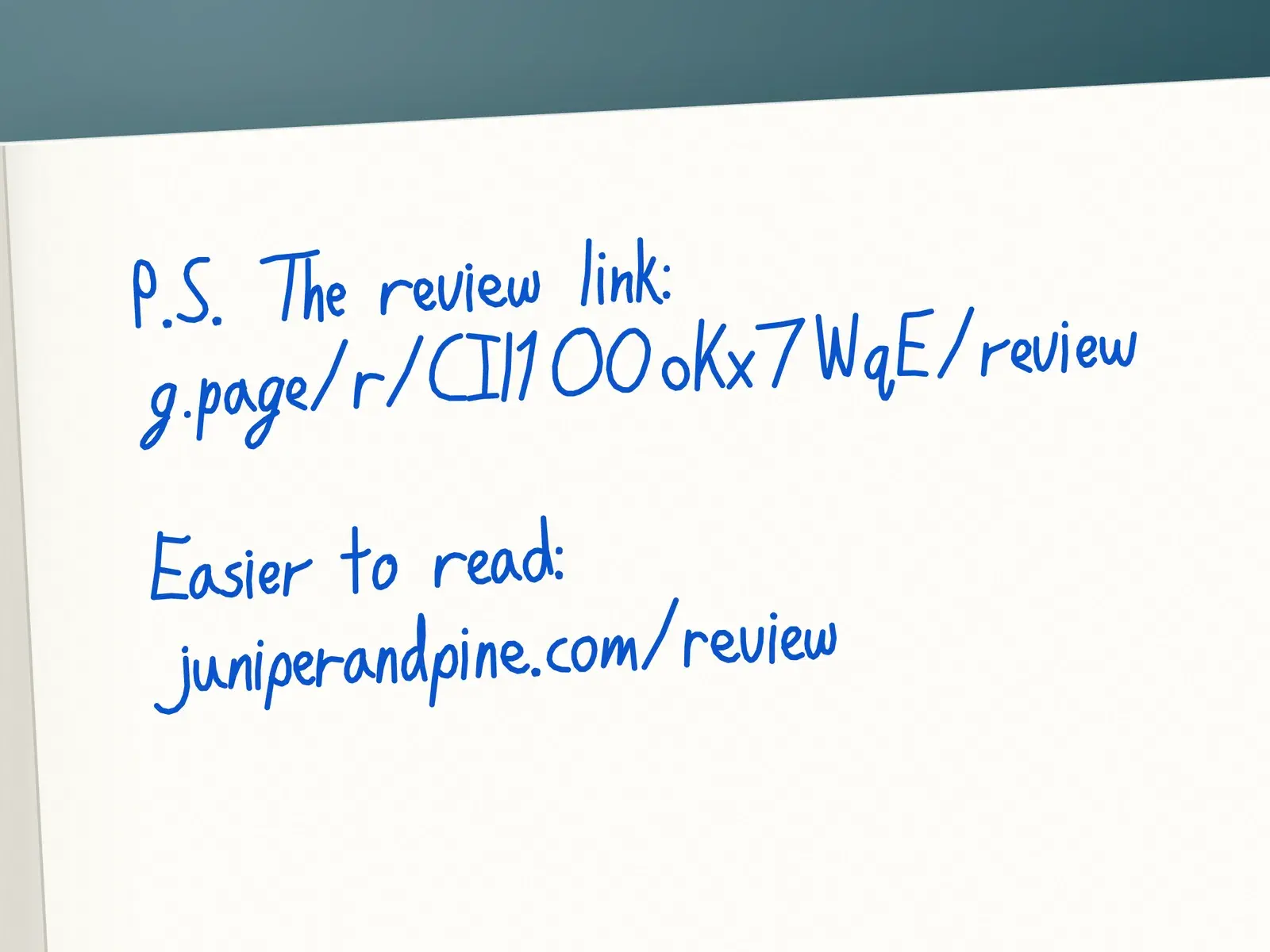
Google's link looks like g.page/r/ plus a long code of capitals, lowercase letters and numbers, then /review. That's fine in a text or an email, where people tap it. On paper nobody wants to type it, and in handwriting a lowercase l, a capital I and a 1 look alike. Google no longer lets you create a custom short name, so make your own: a page on your website, like yourbusiness.com/review, that forwards to the Google link. On Squarespace that's a URL mapping, and whoever runs your site can set one up. On anything you print, use the QR code instead.
When to ask for a review
Tie the ask to a step in your process and ask every customer who reaches it. The best step is the earliest moment the customer can see the finished result: the final walkthrough, checkout, pickup, the day the report goes out. Asking everyone at the same step also keeps you clear of review gating (asking only the customers you expect to be happy), which Google bans.
Scroll the table horizontally if needed.
| Business | Ask in person at | Then send the link |
|---|---|---|
| HVAC, plumbing, electrical | The end of the visit, once they've felt it work | By text that evening |
| Remodeling and construction | The final walkthrough | By email or handwritten card that week |
| Salons, barbers, spas | Checkout | By text within the hour |
| Restaurants and cafés | When the check comes | QR code on the receipt or a table card |
| Retail and gift shops | The register | Link on the email receipt, QR code by the register |
| Auto repair | Pickup, after you've shown them what you fixed | By text the next day |
| Dental, medical, veterinary | Checkout after the visit | By text or email that day |
| Agencies, accountants, consultants | Delivery: the launch, the filed return, the quarterly report | By email from the person who did the work |
If something went wrong, fix it, then ask anyway. Skipping the customers who had a bad day is the gating problem again, and a few honest three-star reviews won't sink you. Google itself says a mix of positive and negative feedback often feels more trustworthy.
What to say when you ask in person
In person is the strongest ask you have, because it comes from someone the customer just watched do the work. Keep it to two or three sentences: thank them for something specific, ask, and tell them the link is coming so they don't have to remember anything.

At the door, after a repair
You should feel the difference upstairs by tonight. Can I ask a favor? I'll text you a link to our Google page. If you have two minutes this week, tell people how it went, good or bad. It's how a lot of our new customers find us.
At the register, in a gift shop
I hope your sister likes the candle. If you get a minute later, would you leave us a Google review? There's a QR code on your receipt. We're a small shop, so every one helps.
At the end of a client meeting
Before you go: now that the return is filed, would you write a short Google review about working with me? I'll email you the link today. Honest is fine, and a couple of sentences is plenty.
Notice what's missing. None of them say "if you were happy" or "five stars would mean a lot." Google allows businesses to ask for reviews only without trying to influence the rating or what the review says. The same policy rules out:
- Handing over your phone or a store tablet, or waiting while they write it. Google says merchants shouldn't require or pressure customers to review them while they're on the premises.
- Telling them what to mention, including a staff member's name.
- Giving staff a target number of reviews to collect.
Review request text message templates
A text puts the link one tap away, which makes it the best follow-up to an in-person ask. Send it the same day, from a number the customer will recognize, with a name on it. Only text customers who gave you their number and expect to hear from you that way, and if anyone replies STOP, take them off your list.
After a service call
Hi Karen, it's Marco from Ridgeline Plumbing. Hope the new water heater keeps up with the teenagers. Here's the link for that Google review: g.page/r/your-link Thanks for having us out.
After an appointment
Thanks for coming in today, Priya, and good luck at the wedding on Saturday. If you have two minutes this week, a Google review helps us a lot: g.page/r/your-link Jess at Fern & Fade
Review request text template
Hi [first name], it's [your name] from [business]. Thanks for [one specific thing about today]. Would you leave us a Google review? It takes about a minute: [your review link]
Keep the specific detail. A text that could go to anyone reads like a mass blast, and people treat it like one.
Review request email templates
Email suits customers you don't see in person, and businesses where a text would feel too familiar, like a law firm. Send it from a person's address, include the link once, and keep it short enough to read on a phone.
If a review tool you're considering shows five clickable stars and sends anyone who picks one to three of them to a private feedback form instead of Google, turn that feature off. It's review gating, and it breaks Google's policy.
After a finished job
Subject: A favor, now that the deck is done Hi Tom, Thanks for going with cedar, and for putting up with three weeks of saws outside your kitchen window. Would you leave us a Google review? It takes about a minute, and it's how most people in Ashford find a contractor they don't know yet. g.page/r/your-link Thanks again, Rachel Ortiz Ortiz Decks
After a project, to a business client
Subject: Quick favor after the launch Hi Rhonda, The new site has been live for two weeks and the booking form hasn't broken once, which after the old one feels like a small miracle. If you have a few minutes, would you write a Google review about working with us? Whatever you think is fine. Two sentences is plenty. g.page/r/your-link Sam Whitaker Northline Studio
Review request email template
Subject: A favor, now that [the job] is done Hi [first name], Thanks for [one specific thing about this customer or job]. Would you leave us a Google review? It takes a minute or two, and honest reviews help people in [your town] decide whether to call us. [your review link] [Your name] [Business name]
On receipts, invoices and a counter sign
Google suggests putting your link on receipts and in thank-you emails, and displaying the QR code in your store. These catch the customers nobody got to.
Receipt or invoice line
Thanks for shopping at Juniper & Pine. Tell people what you thought on Google: scan the code or visit g.page/r/your-link
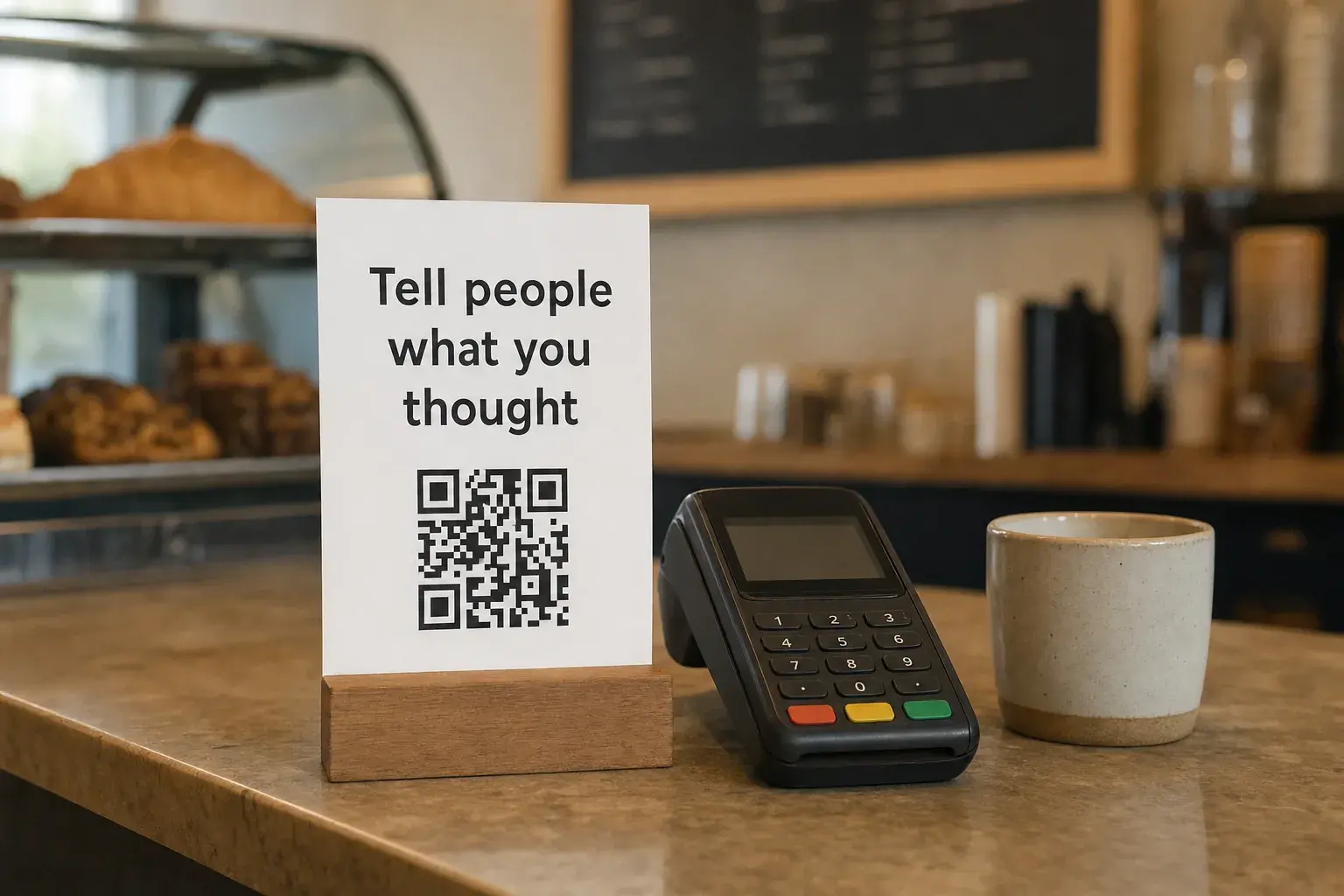
Counter sign by the register
Tell people what you thought Juniper & Pine is a two-person shop, and Google reviews are how new customers find us. Scan with your phone camera, whenever suits you. [QR code]
Put it where people wait: by the register, on tables, in the waiting room. A sign they can scan later is fine. A tablet you hand them at the counter is the on-the-spot pressure Google's policy rules out.
In a handwritten thank-you card
A card is the slowest way to ask and the hardest to ignore. It arrives after the customer has lived with the result for a few days, and it's probably the only review request they'll ever get that someone wrote by hand.
Make it a thank-you first. Name one thing about the job, sign your own name, and put the ask in a P.S. so it's easy to skip. In my guide to business thank-you notes I say to leave review requests out, and for referrals, holidays and anything sad, that still stands. After a finished job, one line at the bottom is fine.
After a finished job (house painter)
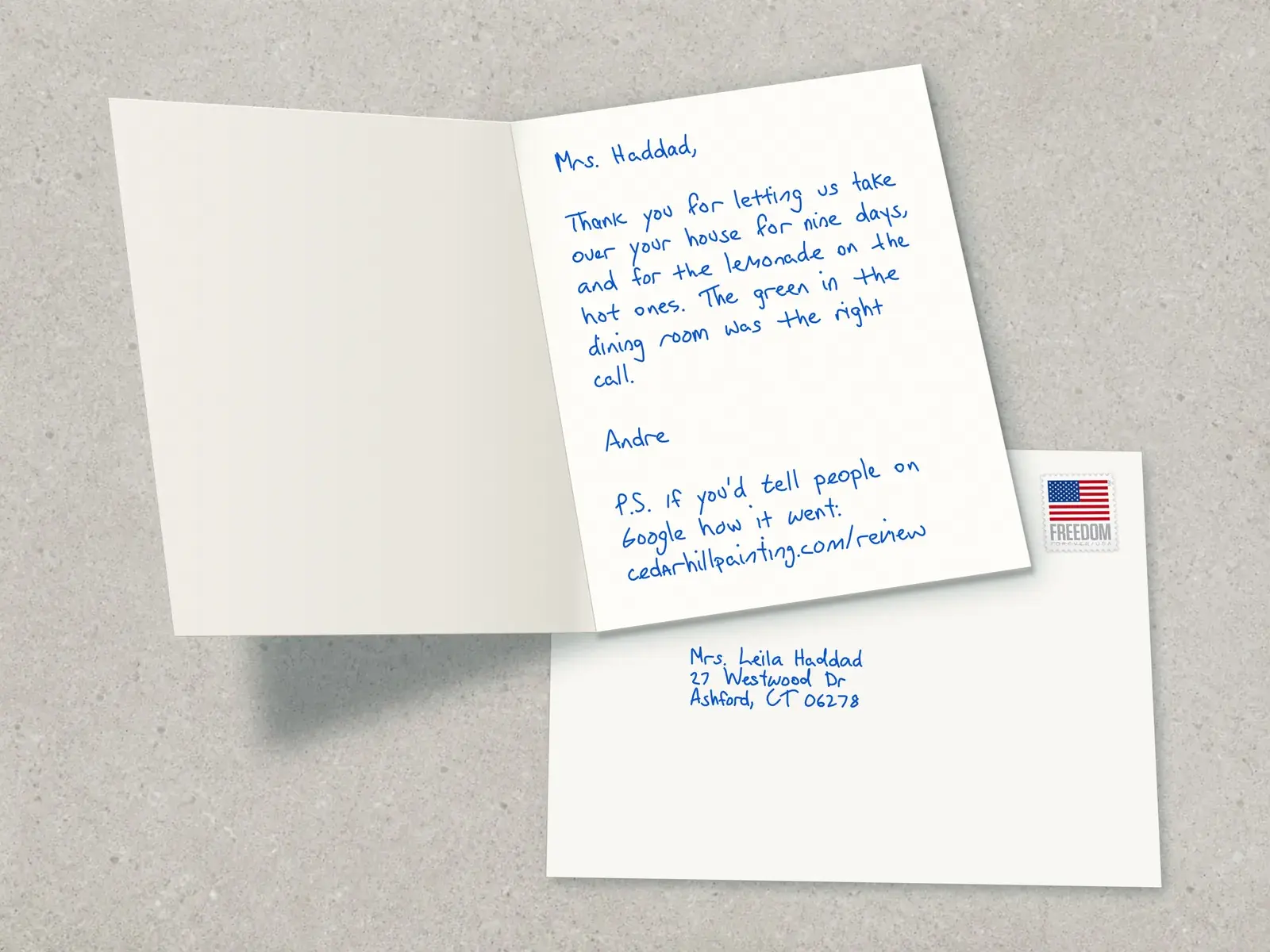
Mrs. Haddad, Thank you for letting us take over your house for nine days, and for the lemonade on the hot ones. The green in the dining room was the right call. Andre P.S. If you'd tell people on Google how it went: cedarhillpainting.com/review
After a first year with a client (bookkeeper)
Gary, A year ago your receipts lived in a shoebox under the register. This April you filed with a week to spare. Thank you for trusting me with all of it. Nina P.S. A Google review would help other shop owners find me: g.page/r/your-link
Write the link as clearly as you can, or use a short address on your own site that forwards to it. For more first lines, see these thank-you notes for customers.
If you finish more jobs than you have evenings for cards, Scribble Cards can send them. You type the message, link included, and each card is written with a real ballpoint pen, with the envelope addressed in pen and mailed with a real stamp. One card is $6.99 with the stamp, and the price falls to $2.45 a card at volume. US businesses can get a free sample card to check the handwriting first. If you're comparing services, eSEOspace's roundup of the best handwritten note services for small businesses in 2026 compares six of them, us included.
If they don't leave one: one follow-up, then stop
Plenty of people mean to leave a review and forget. I'd send one reminder three to five days after the first ask, on the same channel, and then let it go. A third ask turns a happy customer into an annoyed one.
Follow-up text, four days later
Hi Karen, Marco again from Ridgeline. In case the link got buried, here it is: g.page/r/your-link No pressure either way. Thanks again for having us out.
For email, reply to your first message so the link is right there. And if a customer says they left a review you can't see, give it a few days: Google checks reviews against its policies before they appear, and your star rating can take up to two weeks to update.
What not to do: Google's rules and the FTC's
Two sets of rules apply. Google's content policy decides what stays on your profile. The FTC's rule banning fake reviews and testimonials is a federal rule, in effect since October 21, 2024, and the FTC can seek civil penalties against businesses that knowingly break it. The two overlap without matching:
Scroll the table horizontally if needed.
| Tactic | Google's policy | FTC rule |
|---|---|---|
| A discount, gift card or prize drawing in exchange for a review | Banned, whatever the review says | Allowed if it doesn't depend on what the review says; undisclosed incentives can still break the FTC Act |
| A reward only for positive reviews | Banned | Banned |
| Asking only customers you expect to be happy (review gating) | Banned | The rule doesn't name it; the FTC says it could still violate the FTC Act |
| Writing reviews for customers, or posting fake ones | Banned | Banned |
| Reviews from your employees or family | Removed as a conflict of interest | Allowed only with a clear disclosure of the connection |
| Threats or intimidation over a bad review | Banned as rating manipulation | Banned, along with groundless legal threats and false accusations |
Google's rating manipulation policy also bans discouraging negative reviews and asking customers to change or remove one in exchange for anything. And if you use contracts or terms of service, leave out "no negative reviews" clauses: the Consumer Review Fairness Act protects customers' right to post honest reviews.
One more: these scripts are for Google. Yelp asks businesses not to ask anyone for reviews, and its software may not recommend reviews that look requested.
How to reply to Google reviews, with templates
Reply to every review, good and bad, within a few days: in your Business Profile, select Read reviews, then Reply next to the review. Replies are public, they post under your business name, and the reviewer gets a notification.
Customers notice. In BrightLocal's survey, 89% of consumers said they expect owners to respond, and 50% said generic, templated replies make them unlikely to choose a business. So use the templates below as a shape and put a detail from the review into each one. Google's own advice is to keep replies short, skip deals and promotions, and sign with your name or initials.

Five stars, with details
Thank you, Rob. Getting the Camry back the same afternoon was close, and I'm glad it was ready before your drive to Tulsa. Safe travels. Luis, owner
Only repeat details the reviewer put in the review. Don't add anything from your records.
Stars only, no text
Thanks for the five stars, Michelle. We'll see you next time. Luis
Mixed, three stars
Thanks for the honest review, Ellen. You're right that we showed up 40 minutes late, and you shouldn't have had to call us to find out. We now text customers when we're running behind. I'm glad the cabinets came out the way you wanted. Teresa, office manager
One star, angry
Mr. Reyes, I'm sorry. A leak two days after we finished isn't acceptable, and I want to fix it. Please call me directly at 555-0143 so we can get someone out this week. Carla Benson, owner
Apologize once, own what's yours, and move the details to a phone call. Google's advice for a complicated complaint is the same: ask the reviewer to contact you by phone or email.
From someone who was never a customer
We can't find a record of a visit under this name, and we'd like to understand what happened. Please call us at 555-0187 and ask for Jim. Jim Kowalski, owner
Then report the review if it breaks Google's policies. Health practices: never confirm in a reply that someone is a patient. Keep it to an invitation to call.
If a burst of one-star reviews shows up with a demand for money to take them down, don't pay and don't answer the demand. Google has a form for reporting review extortion.
The SEO side: Google Business Profile basics
Reviews are one input into who shows up in the map results. Google says there's no way to request or pay for a better local ranking, and lists what helps instead:
- Verify your business. Google says verified profiles are more likely to show up in search.
- Fill in everything: the right business category, your address if customers visit you, and your hours, including holiday hours.
- Add photos and videos of your work, your team and your place.
- Reply to reviews. Google says positive reviews and helpful replies can make a business stand out.
- Get other websites to link to you. Google counts how many websites link to your business as part of how well-known it is.
Whoever handles your local SEO, ask how they get reviews. If the answer involves discounts for reviews or a filter that keeps unhappy customers off Google, keep looking. If you want a specialist, eSEOspace is a web design and SEO agency that builds websites for small businesses and does local SEO and Google Business Profile optimization.
Make asking a habit
Reviews add up when asking is a fixed step in the job, done by a named person. Fifteen minutes on a Friday keeps it going.
A weekly review routine
Name the asker
The tech at the door, the stylist at checkout, the account lead when the work ships. No quotas: Google's policy rules them out.
Put the link everywhere
Text and email templates, receipts, invoices, the counter sign.
Check the week
Compare finished jobs with the asks that went out, and text anyone who was missed.
Reply to everything new
Answer every new review and fix what the bad ones point to.
Count once a month
Note your review count and star rating, and compare them with the three businesses above you in Maps for your main search.
Every script in this guide is in one file below, ready to paste into your phone, email templates and point-of-sale system.
Frequently asked questions
Is it OK to ask customers for Google reviews?
Yes. Google's policy allows businesses to ask for reviews as long as you don't offer an incentive or try to influence the rating or what the review says. Ask every customer, including the ones you're not sure about.
Can I offer a discount or gift card for a Google review?
No. Google bans incentives in exchange for reviews, including discounts and freebies, whatever the review says, and it can restrict your profile if it finds them. The FTC's rule is narrower (it bans rewards that depend on what the review says), but Google's rule decides what stays on your profile.
How many Google reviews do I need?
There's no official number. In BrightLocal's 2026 survey, 47% of consumers said they won't use a business with fewer than 20 reviews, so 20 is a good first goal. After that, keep them coming: 74% only cared about reviews from the last three months. The businesses ranking above you in Maps are your real benchmark.
Can I ask for Google reviews by text?
Yes. Google suggests sharing your review link in emails and messages as well as on receipts. Text only customers who gave you their number and expect texts from you, send one text and at most one reminder, and stop if they reply STOP.
What should I do about a bad Google review?
Reply within a few days: thank them, own what was your fault, and invite them to call. Then fix the problem. Once it's fixed, you can ask if they'd like to update the review, as long as you offer nothing for it. The FTC says its rule doesn't stop you contacting unhappy reviewers to resolve the issue, and Google notes that a constructive reply may lead a customer to update a review.
Can I remove a Google review?
Not yourself. You can report a review from your Business Profile, and Google removes it only if it breaks Google's policies (spam, profanity or a conflict of interest, for example), never because you disagree with it. Evaluation usually takes several days. You can track it in the Reviews Management Tool and appeal once if your report is turned down.
How do I ask for a testimonial for my website?
Ask the same way, then add one line asking permission to quote them by first name and town. Use their exact words and never write one for them: the FTC's rule bans fake or false testimonials along with fake reviews. You can also share a link to a single Google review on your website or in a proposal.
Reviewed .